Client Intel
What to Know About Your Client Before the Session
Most photographers walk into sessions blind. A little research beforehand changes the entire dynamic — here's what to look for and how to automate it.
A client books a headshot session. You confirm the date, send the prep guide, and show up ready to shoot. But here's the thing — you know almost nothing about the person walking through the door. What they do for a living, what industry they're in, whether they just got promoted or just switched careers entirely. All of that context shapes how the session goes.
I started Googling my clients before sessions a few years ago. Not in a creepy way — just a quick LinkedIn search, maybe a look at their company's about page. Even five minutes of research gave me something to talk about during the shoot, and it made the whole experience feel more personal for the client. The problem was, I'd forget to do it half the time. And when I did remember, it was usually the morning of the session when I was already rushing.
What's actually useful to know
Not everything you can find online matters for a headshot session. What you're looking for is context — enough to have a real conversation and make the person feel comfortable. Here's what I've found is worth knowing:
- Their job title and company. This tells you a lot about the tone they'll need. A VP at a financial firm and a creative director at a startup are looking for very different headshots, even if the framing is identical.
- Their LinkedIn profile (when available). You can see their career trajectory, what they post about, and what kind of professional image they're projecting. This gives you conversation starters that go beyond "so, what do you do?"
- Recent news or company updates. If their company just got acquired or they just won an award, that's the kind of thing you can mention. It shows you're paying attention and it immediately builds rapport.
- Ice breakers. Where they went to school, hobbies they mention publicly, volunteer work — anything that gives you a natural conversation starter beyond "so, what do you do?" This is especially valuable for clients who are already nervous about being in front of a camera.
The manual approach works, but barely
You can absolutely do this yourself. Open LinkedIn, search the client's name, skim their profile, check their company website, maybe run a quick Google search. It takes about 10–15 minutes if you're thorough.
The issue isn't that it's hard. It's that it's one more thing to remember in a week that's already full of editing, scheduling, and running a business. I found that I was doing it consistently for about three weeks, then it would fall off, then I'd feel bad about it, then I'd start again. That cycle is what made me want to automate it.
How Client Intel handles it
Client Intel connects to your booking platform — Acuity, Calendly, HoneyBook, Dubsado, 17hats, Sprout Studio, or anything that supports webhooks. When a new client books, it automatically runs research using their name and email, then sends you a formatted report before the session.
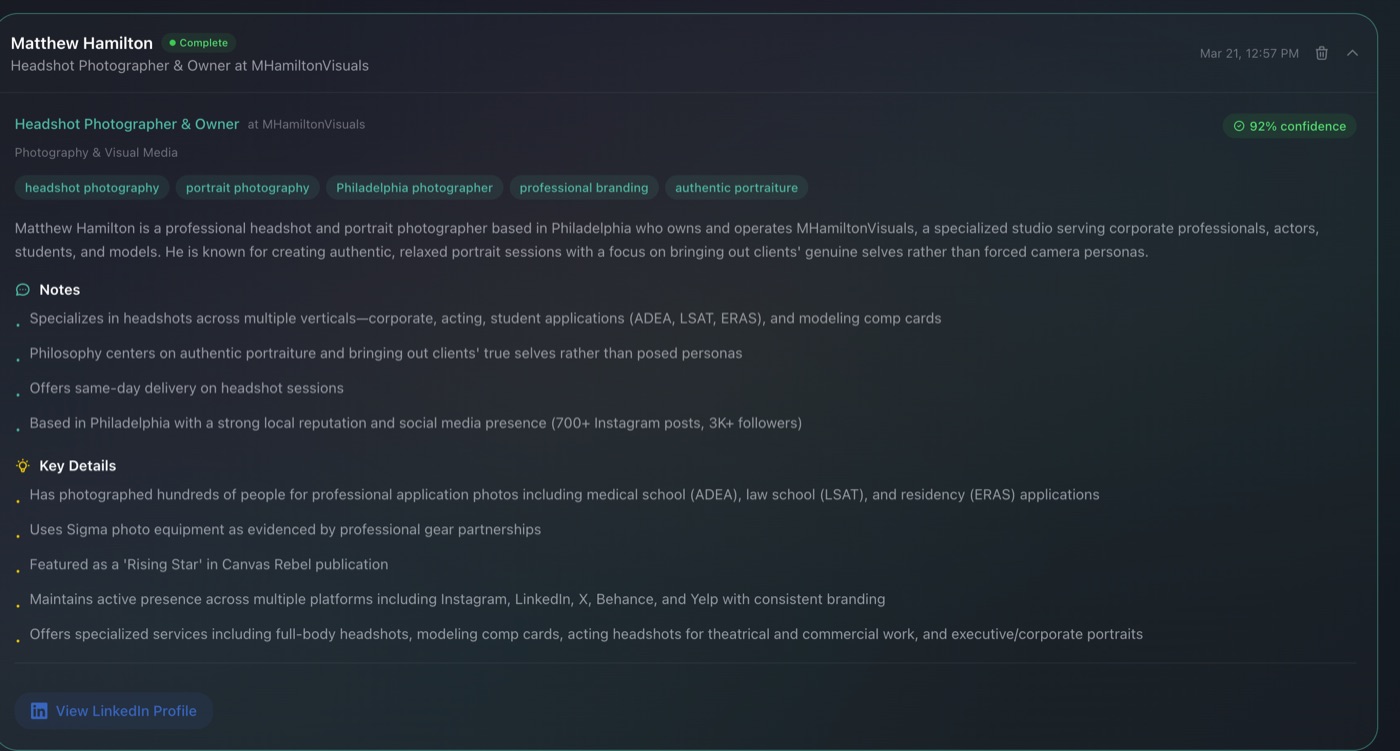
Each report includes a confidence score so you know how solid the data is. Common names or clients with limited online presence will show a lower score — the system tells you upfront rather than guessing. That honesty is important because the last thing you want is to confidently reference something that's actually about a different person with the same name.
Everything is also saved to your dashboard, so you can search past clients if someone rebooks or if you need to reference an older session.
When there's no booking involved
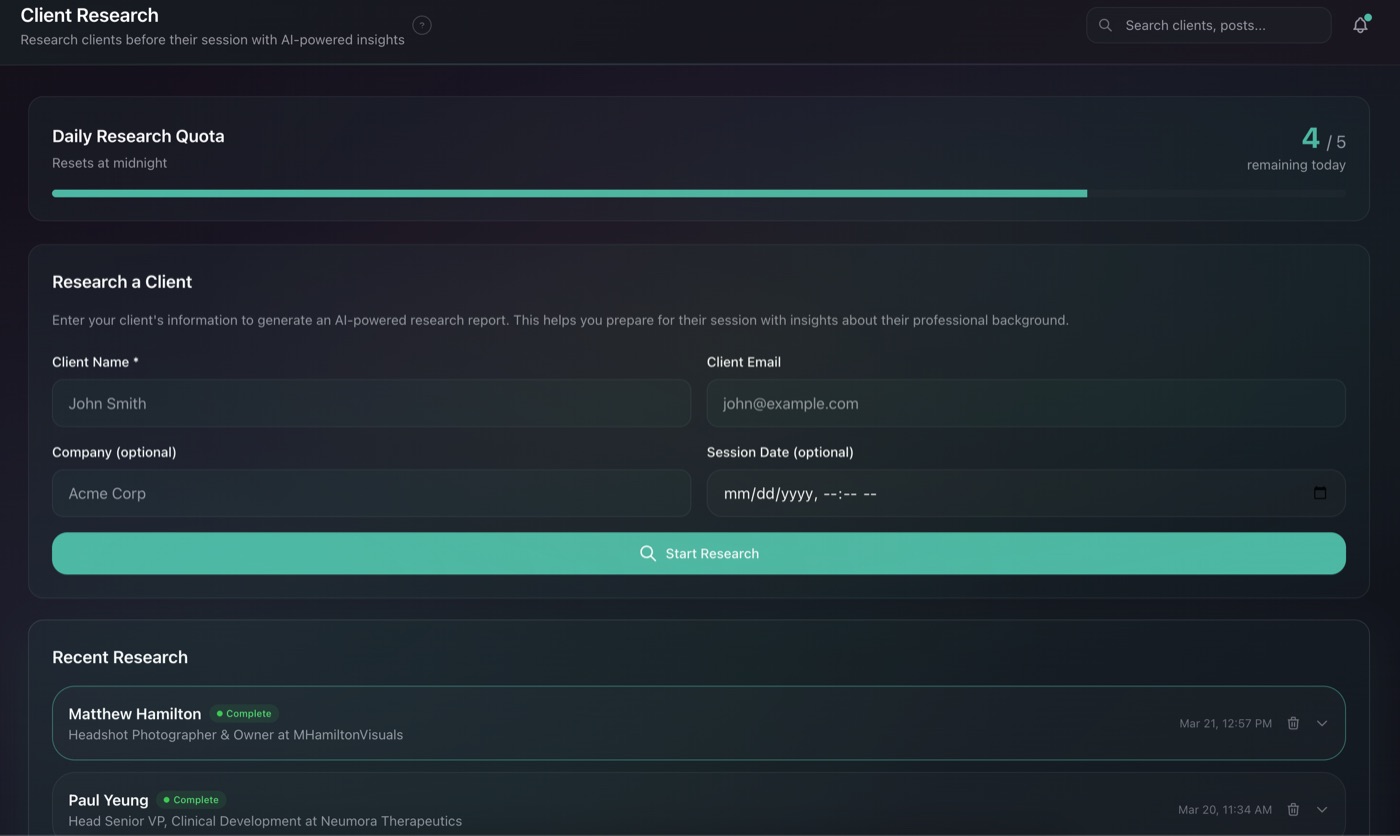
Not every client comes through your scheduling platform. Referrals, networking events, corporate gigs where someone emails you directly — Client Intel has a manual research tool on the dashboard for exactly this. Enter a name and email and you get the same report. It's useful for those situations where you want the research but don't have a formal booking to trigger it.
Privacy, since you're probably wondering
Client Intel only uses publicly available information — LinkedIn profiles, company websites, news articles, professional directories. It never accesses anything behind a login or pulls private data. If you can find it through a regular Google search, that's the same pool Client Intel is working from. Just faster and more consistently than you'd do it manually.
The difference it makes
Here's what I've noticed since automating this: clients comment on it. Not directly — they don't say "oh, you researched me." But they notice when you ask about their recent promotion or mention that you saw their company just expanded. It shifts the dynamic from "photographer and subject" to something that feels more like a conversation between two people who've done their homework. And that typically leads to better expressions, more comfort in front of the camera, and the kind of headshots that clients actually use everywhere.
Try Client Intel
Available at launch pricing — $15/month with automatic booking integration.
View Pricing