Web Watch
Where Are Your Photos Being Used Online?
Your headshots and portraits are being used across the web right now. Here's how to find them, get credit, and turn each one into a backlink.
You deliver final images. The client puts them on their company website, their LinkedIn, their team page. Maybe a publication picks one up for an article. That photo is now living on the internet — and most photographers have no idea where.
Why it matters
Every time your photo appears on a website without a credit or link back to you, you're leaving SEO value on the table. A backlink from a company site, a news outlet, or a professional directory tells Google your work is legitimate and worth ranking. Photographers who actively collect backlinks from their own published work consistently rank higher in local search results.
Beyond SEO, knowing where your photos end up gives you a clearer picture of how clients actually use your work. That insight shapes how you shoot, what you deliver, and how you market yourself.
The manual approach
You could reverse-image-search your photos one at a time through Google Images or TinEye. It works, but it's tedious. You'd need to do it for every image you want to track, remember to check back regularly, and then figure out who to contact at each site. Most photographers try this once, find a few results, and never do it again.
How Web Watch handles it
Upload up to 100 images to your StudioFlows dashboard and Web Watch scans the web for matches every week. When your photo shows up somewhere new, you get a report with the URL, the page context, and the information you need to reach out.

For each discovery, StudioFlows surfaces the right contact — their name, job title, and verified email — so you can send a credit request without spending 20 minutes hunting through a website's "About" page.
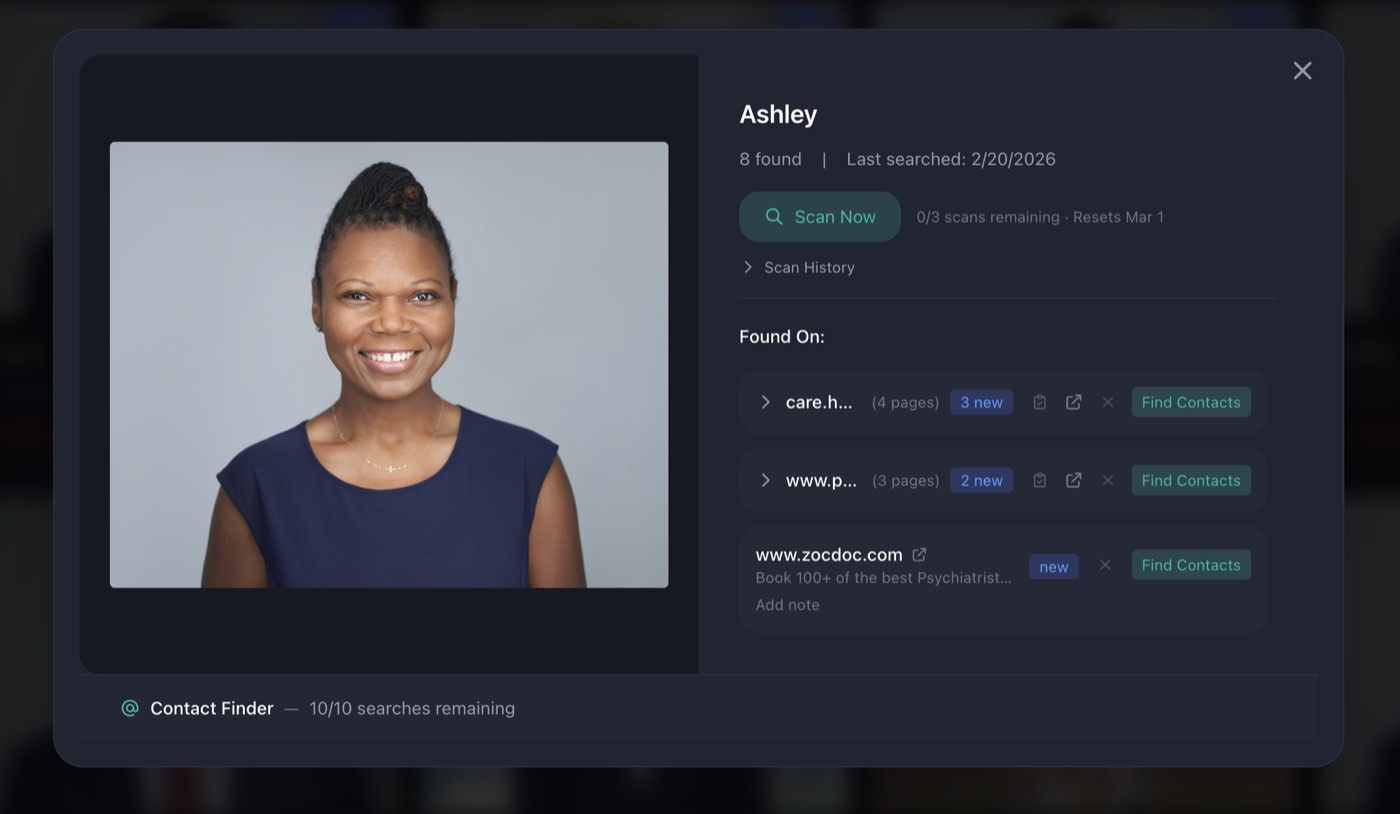
What to do when you find a match
You have a few options depending on the situation:
- Request a photo credit with a backlink. This is the most common move. A simple email asking for a "Photo by [Your Name]" credit with a link to your site. Most companies are happy to comply — they just didn't think to add it.
- Send a licensing inquiry. If your work is being used commercially without a license, that's a conversation worth having.
- Track it for your records. Sometimes you just want to know. Seeing your work on a Fortune 500 team page is good for the portfolio, even if you don't reach out.
Which photos to track
You get 100 slots, so be strategic. Corporate headshots, editorial work, and popular portfolio pieces tend to surface the most results. A CEO headshot that gets used on the company site, their LinkedIn, investor pages, and press releases will generate far more discoveries than a casual portrait that lives on one Instagram post.
You don't need to check in constantly. Weekly scan results are emailed to you automatically, and everything stays on your dashboard if you want to dig deeper or run a manual scan on demand.
Start tracking your photos
Web Watch is available as an add-on for $10/month at launch pricing.
View Pricing